Client portal
Somewhere your customers or members sign in, see their own records and serve themselves — instead of ringing your office.
Every dependable thing your business owns was drawn before it was built. The van. The premises. The machine on the floor. Somebody drew it, somebody checked it, somebody signed it off — and that is why you trust it on a Monday morning. Your software should be no different.
What follows is a drawing set. Eight sheets. What we make · how we make it · who checks it · and exactly what you own at the end.
What we are asked to build
SDUK Studio designs, builds and runs the systems a business depends on day to day. Not a website. The thing your people open at half past eight and close at six.
We agree a fixed price before any work begins, we get you live in weeks, and we build it inside your own cloud account — so the code, the data and the infrastructure are yours from the first day, not the day you leave.
Backed by Software Development UK · Twenty-five years of business software · Company reg 13086606

Somewhere your customers or members sign in, see their own records and serve themselves — instead of ringing your office.
Enquiries, quotes and what happens next, held in one record rather than five inboxes and a spreadsheet.
The system the work itself runs through, from the first call to the invoice, with a trail behind every step.
Staff, members or suppliers — held privately where it must be, published openly where you choose.

A drawing office never started a job with a blank sheet and good intentions. It surveyed, it drew, it checked, it stamped, and it kept the record. That discipline is twenty-five years old here and it has not changed. What has changed is that the checking is now done by machine, on every single change, and it cannot be skipped by anybody in a hurry — including us.
The journey
We start with a fixed-fee working session — a few days, priced up front, no open chequebook. We sit with the people who actually do the work and map how the business really runs, which is rarely how the process document says it runs.
What comes out is a map: the true sequence of a job from enquiry to paid, with the places a system should carry the load marked on it. That map becomes the blueprint, and the blueprint carries the price. You see the shape of the build and the cost of the build before you commit to either.

Route card · ten stations from enquiry to live · every commission follows the same route
Leg one· Finding the ground
You tell us roughly what you are after. Not a specification, not a budget — a couple of sentences about the problem. That is enough to start.
A two-way working session. Bring documents if they exist, or just describe it in your own words. We ask the questions — knowing which ones to ask is our job, not yours.
We model how your business actually works, then draw the system around it — that way round, never the other. This is the survey of the ground.
We play the design back to you and check we heard it right. Corrections here cost a conversation. Corrections after a build cost rather more, which is why this stage exists.
Leg two· Agreeing the route
A fixed price. It arrives together with the project specification and a draft conformance report, so you see exactly what you are buying before you commit to any of it.
You carry away: the project specification and the draft conformance report — yours, whether or not you go on.A deposit, an agreed roadmap with dates, and the work starts. From this point you are not waiting for news — you are watching a plan.
You carry away: the roadmap, with dates — a working screen in your own system, not a slide. See it in service on Plate C.Leg three· Walking it together
The working system, end to end, on ground we have already proven. Not a prototype and not a demo — the real thing, on your own staging site, for you to use.
Nobody can specify everything in advance; you need to see a working first pass. That is expected and it is planned for — and it is why a feedback button is built into every screen. Press it on the thing you want changed, on the page itself.
Changes land on your staging site in agreed batches — bounded, so the build converges rather than drifts. Bounded rounds are how a fixed price stays a fixed price.
Pushed to production. Replacing an old system? Your data comes across with it — part of the route, not an extra afterwards.
You carry away: the running system in your own cloud account — the code, the data and the infrastructure. Sheet 07 sets out what ownership means.Bench mark
Every measurement is taken from what the business does today — not from what the process document says it does. That is the fixed point the whole build is set out from, and it is the reason nothing has to be re-drawn in month three.
Setting-out only · your programme carries real dates and agreed rounds, fixed at acceptance
You paid for the survey, so you keep it — the map, the blueprint and the figure. Take it to another firm and get it priced. We would rather lose a build we were wrong for than start one on a misunderstanding, and a client who has read their own blueprint is the only kind worth having.
The build
Sign-in and permissions. Records and the relationships between them. Search, reporting, documents, an audit trail. Every business system needs the same underlying machinery, and drawing it again for each client would be repetition you paid for.
So we build every system from one master platform. It has been drawn, tested and hardened once, centrally, and when it improves it improves for everybody at once. Your fee buys the part that is genuinely yours: your process, your rules, your words on the screen.
That is why live in weeks is a realistic statement rather than an optimistic one.
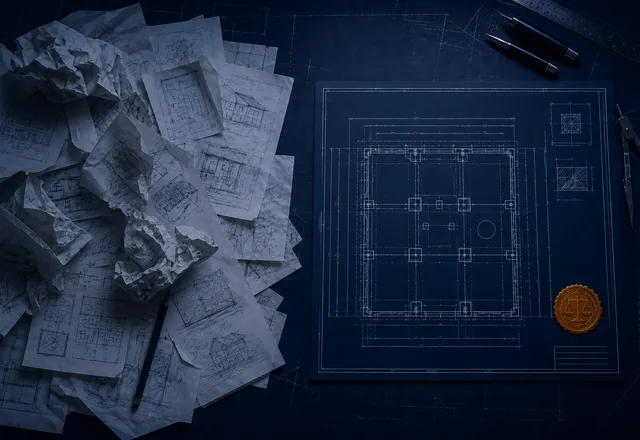
Bill of materials · every system we build
| Item | Description | Source | Condition |
|---|---|---|---|
| 001 | Sign-in, roles and who may see what | Master platform | Proven |
| 002 | Records, relationships and full history | Master platform | Proven |
| 003 | Search, filtering and reporting | Master platform | Proven |
| 004 | Documents, photographs and file handling | Master platform | Proven |
| 005 | The assistant you can talk to | Master platform | Fitted as standard |
| 006 | Your process, your rules, your language | Made to measure | Drawn for you |
| 007 | Your screens, your reports, your documents | Made to measure | Drawn for you |
Items 001–005 arrive proven · items 006–007 are where your money goes
Business systems do not live alone. These are the connections we fit today, stated plainly so you can check them against what you need before you commit rather than after.
Stated before you commit
Everything on this list is fitted and working today — nothing is promised for later. If what you need is not here, we will tell you at the survey whether it is a standard fitting, a custom connection, or not worth your money.
The assistant
Every system we build comes with an assistant. Type to it or speak to it. Ask the sort of question you would ask a good office manager — which jobs are waiting on me?, what did we quote this customer last year? — and it answers from your live business records. Not from the internet, and not from a guess.
It is fitted to every build at no extra cost, because it is part of the master platform rather than a bolt-on we sell you later.
Two rules are built into the machinery rather than into its manners. They are not settings, and there is no screen on which anybody can turn them off.
Detail 04/A · the two interlocks, shown in line
The assistant is bound by exactly the same permissions as the person signed in. If a member of staff cannot open a record, neither can their assistant; it is the same lock, not a polite second one bolted on top. Ask it something you are not entitled to know and it will tell you plainly that it cannot answer.
It can prepare work (a draft, a filled-in form, a proposed change) but it cannot save anything. The form opens on your screen, already completed, and a person reads it and presses save. Every change in the system still carries a human name and a human decision behind it.
Design note
Both interlocks are a deliberate design decision about safety, not a limitation we are working towards removing. An assistant that could quietly act on your behalf would be a faster assistant and a considerably worse one.
The quality gates
Every change to your system goes through four inspections before it can be released — and so does every change we make to the platform underneath it. Ours included. There is no separate, gentler process for the people who wrote it.
The inspections are run by machine, on every single change, and they cannot be waived by a developer who is behind on a Friday afternoon.
A Gate A
Every line is scanned for known weaknesses and for passwords or keys left where they should not be. Scanning happens on the change itself, before it can reach anything of yours.
PassedB Gate B
We prove by test that one client's records cannot be reached from another client's account. The test tries to break in and has to fail. Asserting it would be cheap; demonstrating it on every build is the point.
PassedC Gate C
Checked against the recognised accessibility standard, so staff and customers using a screen reader, a keyboard or a magnifier are not quietly shut out of your business.
PassedD Gate D
Anything written specially for you must declare in writing what it is permitted to touch. If the code then reaches beyond its own declaration, the build fails and somebody has to explain why.
PassedHold point
Fail one, and the release stops.
There is no override switch and no way to wave it through — not for a client with a deadline, and not for us. The work goes back and comes round again. This is the part of the arrangement we would ask you to judge us on.
Most software is sold on the assurance that the supplier is careful. Careful is a quality of people, and people have bad weeks. These four inspections are a property of the machinery instead: they run whether anyone remembers them or not, they produce a dated result every time, and that result goes into the documents on the next sheet — where your auditor, your insurer or your board can read it without taking our word for anything.
The evidence documents
Software is usually sold on assurances. We would rather hand you documents — the sort you can forward to a board, an auditor, an insurer or a client of your own without having to translate them first.
Document register
| Doc | Title | Issued | Who it is for |
|---|---|---|---|
| SPEC-01 | Project Specification | Before you sign | You, and anyone you ask to review it |
| CR-01 | Conformance Report | Every build | Your board, your auditor, your insurer |
| SEC-01 | Security paper trail | Daily and weekly | Whoever asks how you keep it current |
Generated from the system itself, so it cannot drift from what was actually built. Every record type, every role, everything each role may see or change, in plain English, with a diagram of how it all hangs together. You get it before you sign anything.
Issued at proposal · regenerated on every change
Issued with each build: what personal data the system holds and why, who can reach it, what each of the four inspections found, and how a person's rights are honoured. It is the document you hand over when somebody asks you to prove it.
Issued every build · dated and self-contained
The parts your system is built from are audited every day for newly published weaknesses. Updates are applied weekly, through the same four gates as everything else. Both leave a record with a date on it, kept whether anybody asks or not.
Daily audit · weekly gated update
Revision block · SPEC-01
| Rev | Date | Description | By |
|---|---|---|---|
| A | Survey | First issue, drawn from the survey | SDUK |
| B | Build | Regenerated — new record types added | Machine |
| C | Live | Regenerated — no change to scope | Machine |
Why the revisions are not typed
Specifications go stale because somebody has to remember to update them. Ours is produced from the running system every time it changes, which means the drawing and the building always match. Nobody has to be diligent for that to be true.
Personal data
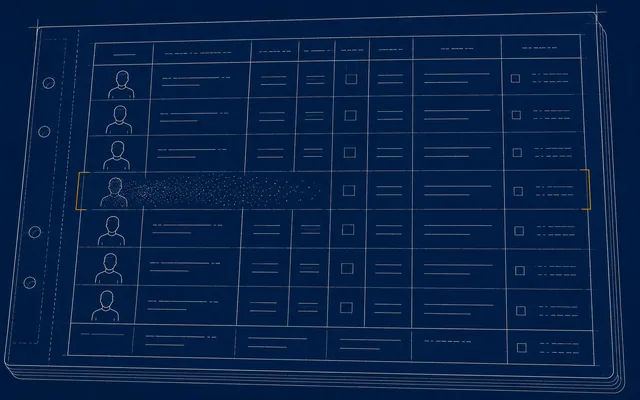
One instruction removes or blanks a person across the entire system — the related records included, not just the obvious one — and writes an entry in a log that cannot afterwards be edited.
Everything the system holds about one person, exported together, ready to send. A request that used to cost you a week of somebody's attention costs a few minutes.
Every field carrying personal information is tagged at the moment it is designed, so the inventory is a by-product of building the system rather than a project of its own.
Indicative only — do not scale
The report also shows what a breach would expose, by sensitivity and volume. Treat it the way a drawing office treats an unfigured dimension: useful for orientation, never to be measured off. It is not an actuarial estimate and must not be presented as one.
Ownership
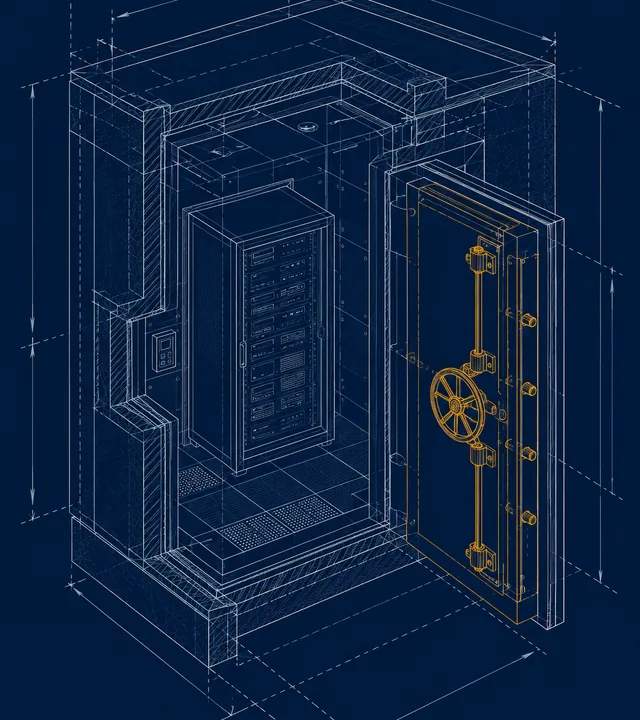
The system runs in your own cloud account, opened in your company's name. The code is yours. The data is yours. The infrastructure bill comes to you, at cost, from the provider rather than through us with a margin on it.
If you part company with us on a Tuesday, nothing stops on the Wednesday. There is no licence key we can decline to renew and no switch on our side of the wall.
“There is no runtime licence dependency on us: any competent developer could take over tomorrow. We aim to be kept because we're good, not because you're stuck.”
The upkeep
Software does not stay safe by being left alone. The parts it is built from are published by other people, and weaknesses in them are found every week. So there is a routine, it runs whether or not anybody is thinking about it, and every entry goes on the record.
Maintenance logbook · extract
| When | Entry | Action | Signed |
|---|---|---|---|
| Every weekday | Audit of every part the system is built from | Anything newly published is raised the same morning | Machine |
| Every Monday | Updates applied, all four gates re-run | Staged first, watched, then promoted | Machine + SDUK |
| First run | Six real advisories raised | Reviewed, fixed, and live the same day | SDUK |
| Continuously | Every entry dated and kept | Available to you, your auditor or your insurer | On the record |
The first entry in the book
The very first run of the daily audit found six genuine advisories in parts we depend on. They were reviewed, fixed and live the same day. That is the routine working as intended — not a problem avoided, but one caught, dated and closed while it was still small.
The demonstrations
We would rather not ask you to imagine it. These are three finished, working systems built on the same platform your build would come off — the screens below are real, taken from the running systems.
They are demonstrations. They are not customers, and the information in them is invented. We name no client on this page and quote no client on this page, deliberately.
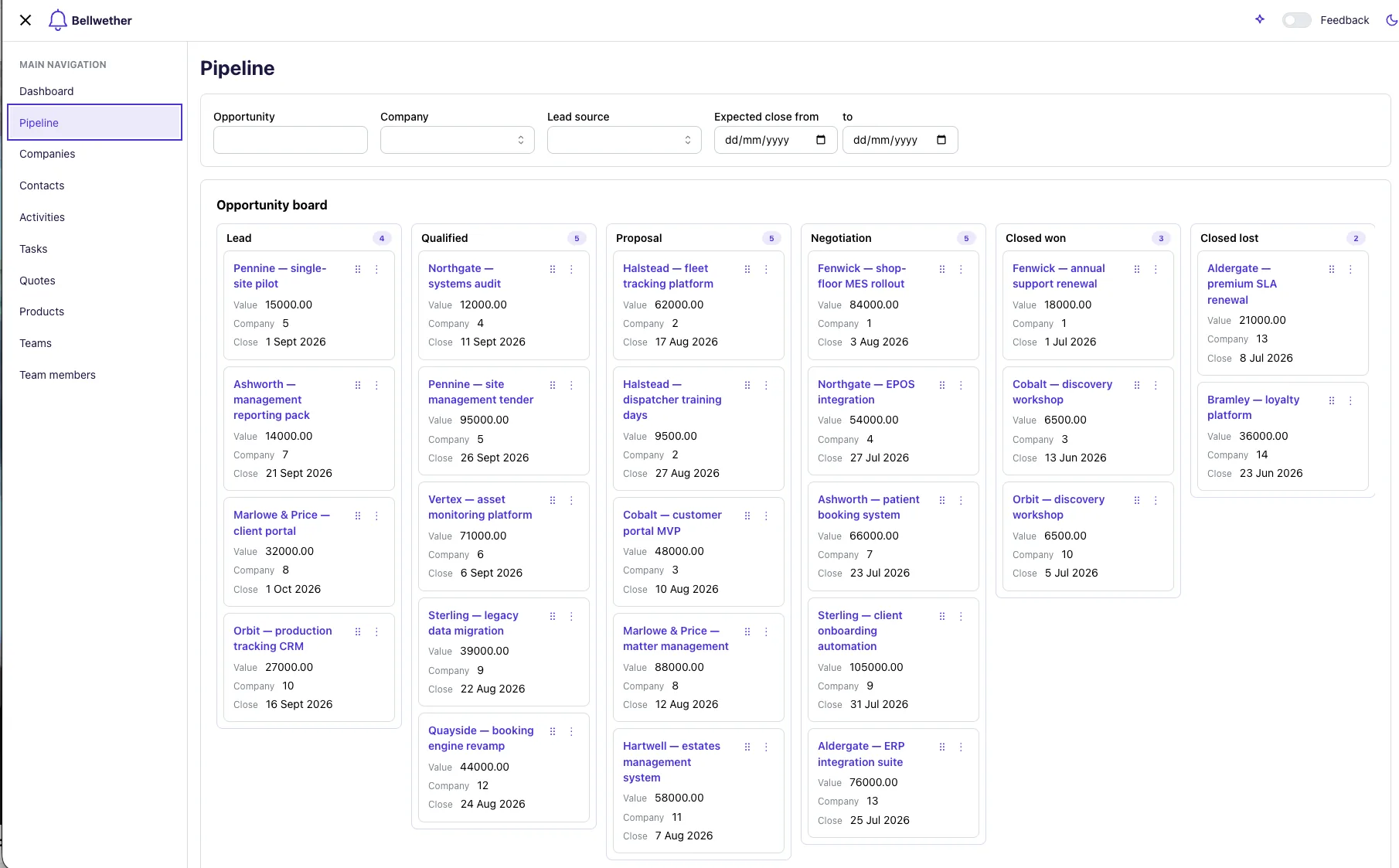
Enquiries, quotes and the pipeline in one place, with every conversation attached to the record it belongs to. The assistant is fitted here as it is everywhere, and can be asked about any of it in plain English — including out loud.
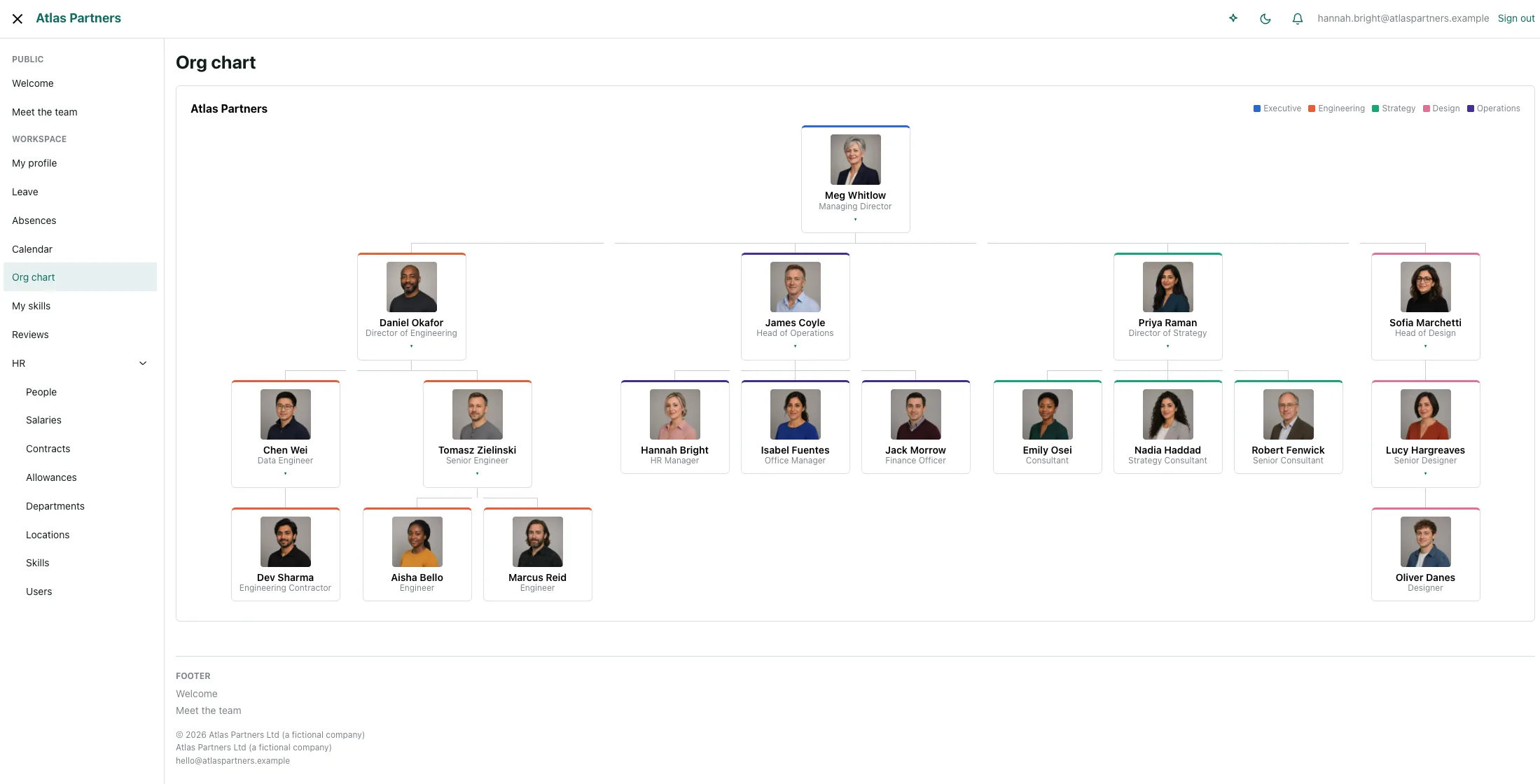
One system holding sensitive HR records privately and a public staff directory openly, with the boundary between them enforced by the platform rather than by everyone remembering to be careful. Worth seeing if you have ever worried about which list is which.
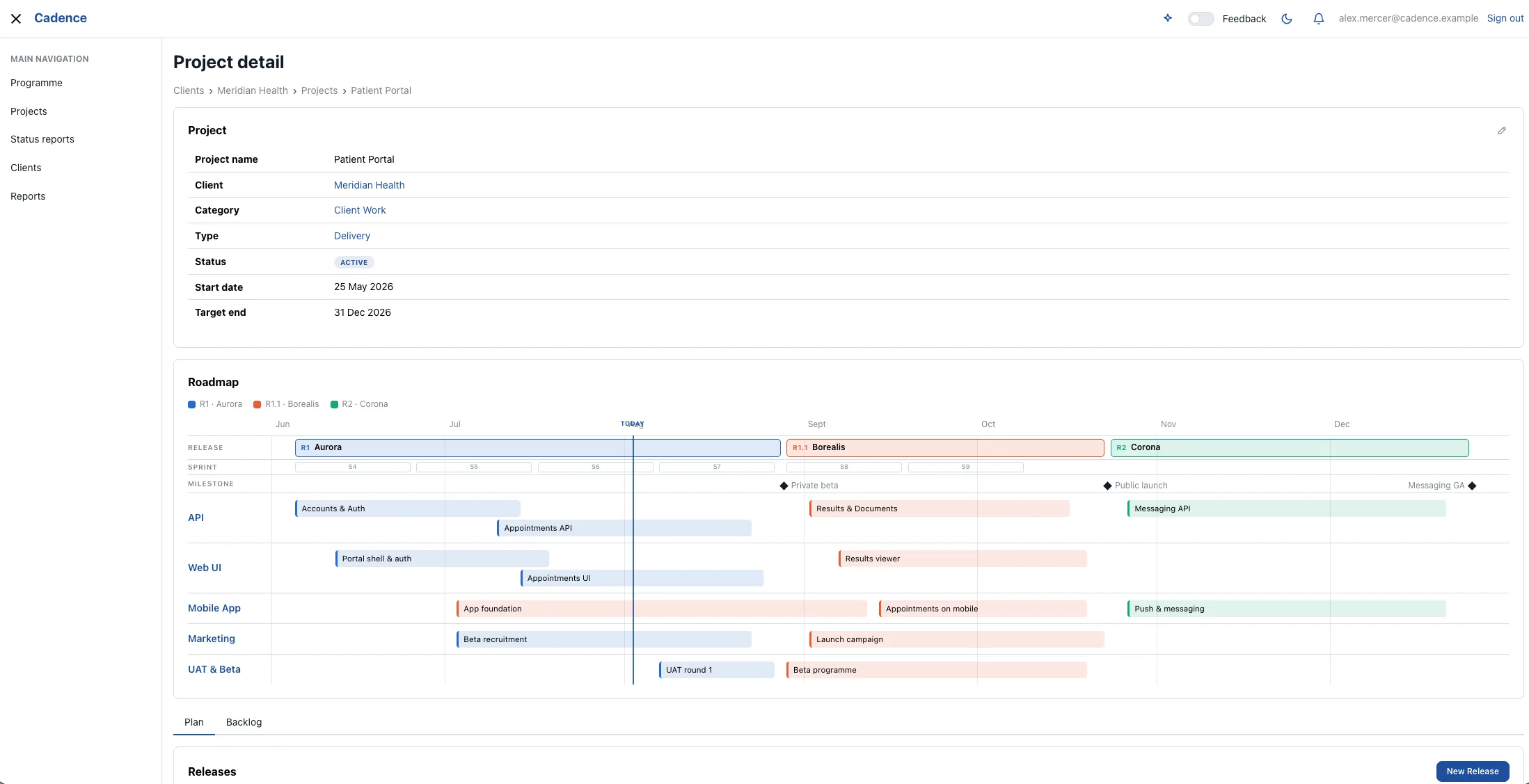
Roadmaps, work in progress and reporting for a delivery team. We run our own work on this one, which is the strongest thing we can say about it: when it is wrong, we are the ones inconvenienced first.
The next step
The next step is a conversation, not a proposal document. Half an hour, at no charge. Tell us what the business does and where the week gets eaten, and we will tell you plainly whether this is worth your money — including when it is not.
If it is, the survey is the first commission: a fixed fee, a few days on the ground, and a blueprint with a price on it that belongs to you either way.
End of drawing set · 08 sheets issued